Can I Animate a Still AI Photo Into a Short Talking Clip?
By Marcus, AI generation expert at OFMAI · Updated
Yes. On OFMAI a clip starts from a still of your character that you have already approved, and five seconds of it costs from 7 credits; the sound is a separate step, with a voice cloned onto that character for 10 credits and a note in it from 2 credits.
What decides your route is the mouth. Animating a still into motion and making a visible mouth match a script are two different jobs: OFMAI does the first and keeps the same look, body and morphology from the photo into the clip, while talking-head platforms are built for the second. If she is not speaking straight down the lens — which is most short-form — you never need the second job at all.

Can you animate a still AI photo into a short talking clip?
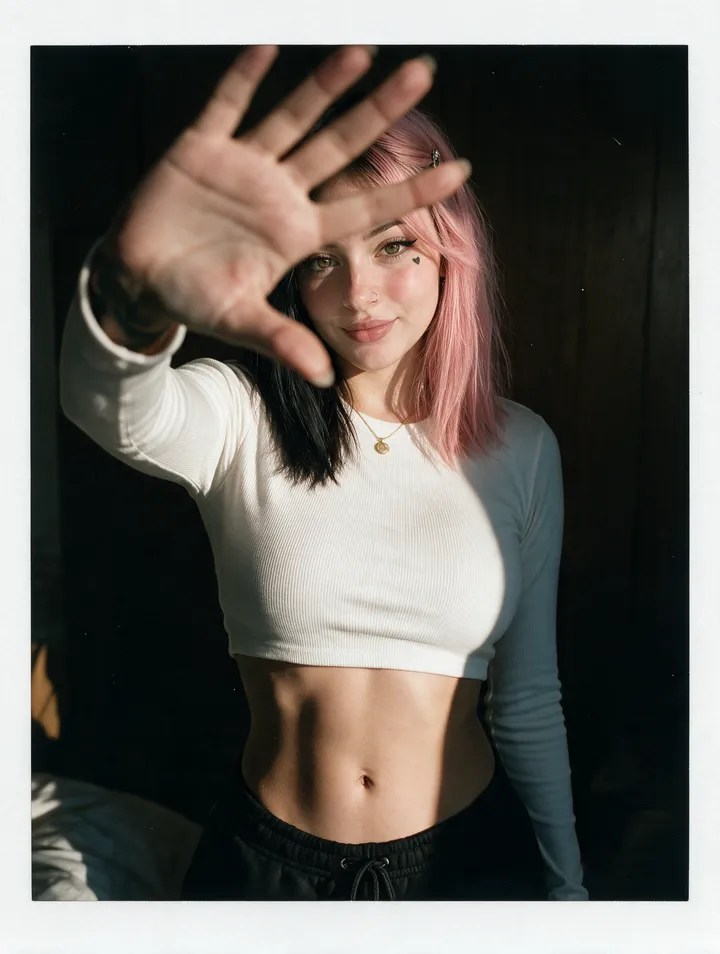
Yes, and on OFMAI that is the normal way round: you generate a photo of your character, approve it, and animate that approved frame into a clip of the same person. A photo costs 2 credits, a five-second 480p clip 7, so the still and its clip together are 9 credits before any sound.
The character is what makes the clip usable rather than a one-off. You build it once — from 3 of your own reference photos, with no training, or designed from a written description — and it is then reused across photos, video and voice, so the woman in the clip is the same woman as in the photo set, with the same look, body and morphology. That is the difference between animating a still and animating your still.
What OFMAI does not do is drive a mouth from your script. It generates the motion and it generates voice notes in your character's cloned voice; it does not animate lips to match words. For clips where the mouth is visible and the words have to land on it, you add a lip-sync step after OFMAI, or shoot the clip so the question never comes up.
What is the difference between animating a still and lip-syncing it?
They start from different material. Animating a still — what tool pages call a talking photo — takes one image and generates every bit of movement in the clip. Lip sync takes footage that already moves and replaces the mouth so it matches new audio. One invents motion, the other corrects it.
That difference is why the two are priced and limited differently, and why a single roundup of "lip sync tools" is a confusing place to start: VEED's own comparison notes that most lip-sync tools expect a source video and that fewer accept a single image (veed.io/learn/best-ai-lip-sync-tools, read 26 November 2026).
In practice a talking clip has three layers, and you should know which you are buying: the motion, the voice, and the agreement between the mouth and the words. OFMAI sells the first two for one recurring character on one subscription. The third is a separate purchase, and for a lot of short-form content you can skip it — a voice-over on a clip where she is walking away, busy with her hands or looking out of a window needs nothing to match.
What does the still need before you animate it?
Vendor documentation is consistent about this, and it is worth reading before you spend credits. Magic Hour's talking-photo guide asks for a clear, front-facing, well-lit portrait with a clean background and a neutral expression, and warns that three-quarter angles, extreme expressions and low-quality images give weaker animation; it also notes that a motion prompt does not supply the words, so the audio is always yours to provide (magichour.ai, read 26 November 2026).
The same checks apply to a generated still, with one advantage: you can reroll it. Before you animate, look at the hands, the eye line, the edges of the hair and anything the frame cuts awkwardly — motion exaggerates every one of them. If a single detail is wrong, an image edit costs 2 credits on OFMAI, which is cheaper than generating the photo again and far cheaper than animating a frame you were not sure about.
Then animate the frame you would have been happy to post as a photo. A clip inherits its still: nothing in the motion step improves a pose, a crop or a light you did not like. Failed generations are refunded automatically, but a clip that comes back technically fine and visually weak is not a failure — it is a frame you should not have animated.
What does one short talking clip cost?
Clip price scales with resolution and length. Five seconds is 7 credits at 480p, 13 at 720p and 25 at 1080p; ten seconds is 13, 25 and 50; thirty seconds at 480p is 38 credits.
The sound is priced separately and mostly once. A voice clone is 10 credits, paid a single time and attached to the character; designing a voice from a written description instead is 8 credits, and taking one from the catalogue is 5. After that a note on the Standard model is 2, 3 or 7 credits for a short, medium or long take, with the warmer Expressive model from 4.
So one short talking clip — a five-second 480p clip plus a short note in her voice — is 9 credits, about $3.00 at Starter rates, with the still that fed it 2 more. Starter is $9.99 a month for 30 credits, roughly 3 of those clips if you spend the whole allowance there; Pro covers about 11 and Agency about 111, up to $149.99 a month and 25% cheaper billed annually. Subscription credits renew monthly; credits bought as a top-up never expire.
What are the six routes to a talking clip from a still, and what does each cost?
Route one, a voice-over clip with no mouth to match. Animate the approved still, generate the note in her cloned voice, lay one over the other in any editor. On OFMAI that is 7 credits plus 2, the clone already paid for, and it is how most short-form voice-over content is actually made. It is the cheapest honest answer to the question.
Route two, OFMAI for the character, the motion and the voice, plus a lip-sync pass for the shots where the mouth is visible. You keep one recurring character across the whole photo and video library and pay a second tool only for the minority of clips that need a matching mouth. More moving parts, but you are not re-buying consistency.
Route three, a talking-head platform end to end. HeyGen lists a free plan with 3 watermarked videos a month capped at 1 minute and up to 3 photo avatars, then Creator at $29/month or $24/month billed annually with 600 credits, Pro at $49/month with 1,000, and Business at $149/month with 1,500 plus $20 per seat (heygen.com/pricing, read 26 November 2026). Lip sync is included and that is the point — but these are presenter products, built around an avatar reading a script, not around a persona with a photo library behind it.
Route four, a general video studio with a dialogue feature. Runway's add-dialogue app animates an image with voice and automatic lip sync (runway.com/en/apps/add-dialogue, read 26 November 2026), and its pricing lists a free tier with 125 one-time credits, Standard at $12/month billed annually with 625 credits a month and no watermarks, and Pro at $28/month billed annually with 2,250 credits (runway.com/pricing, read 26 November 2026). Strong on the single clip; it holds no character for you between clips.
Route five, a per-minute talking-photo service. D-ID's pricing page says Trial and Lite videos carry a watermark, that Trial users get a full-screen one, that video length is rounded up to the nearest 15-second interval, and that unused minutes are void at the end of each month rather than rolling over (d-id.com/pricing, read 26 November 2026). Fine for a handful of clips a month; the rounding and the expiry both punish volume.
Route six, a consumer talking-photo tool on a credit plan. Magic Hour lists Creator at $15/month or $180 billed yearly with 180,000 credits and a 1,024px maximum resolution, Pro at $25/month and Business at $66/month, and says free exports may carry a watermark (magichour.ai/pricing, read 26 November 2026); its guide puts the Realistic mode at up to 300 seconds of audio with no 1080p option, the Expressive mode at up to 60 seconds, and free signed-in accounts at 10 seconds per clip (magichour.ai, read 26 November 2026). Cheap and quick for one-off clips; read the resolution ceiling before you plan a library around it.
There is a free route as well, and it is not a joke: film the five seconds yourself. It still looks better than any of the six above when you have the time, and it loses only on volume — which is the only reason the other six exist.
How long can the clip be, and how much motion holds?
On OFMAI you pick the length and the resolution, and the price follows: five, ten, fifteen, twenty or thirty seconds, at 480p, 720p or 1080p. Fifteen seconds at 480p is 19 credits; thirty seconds at 1080p is 150. Longer and larger always costs more, so the decision is editorial before it is financial.
The honest answer on motion is that short holds better than long. A single animated still has one pose, one light and one framing to work with, and the further it travels from them the more the likeness drifts — hands, hair edges and the line of the jaw go first. Five to ten seconds of a contained movement reads as a real clip; thirty seconds of invented motion from one frame usually reads as an effect.
For anything longer, cut several short clips of the same character instead of asking one frame to carry the whole take. That is also where a stored character pays for itself: each clip starts from its own approved still, and all of them are the same person, so the cuts belong to one sequence rather than to three different women.
Whose photo and whose voice are you allowed to animate?
Your own are the clean case, and it is the case OFMAI is built for: a character made from 3 of your own reference photos, with a voice cloned from your own recording. Anyone else's likeness or voice needs their explicit permission, and OFMAI does not allow a real person to be reproduced without their consent. For a voice with no real person behind it, design one from a description for 8 credits.
A public figure is not a loophole. Vendor guidance says the same thing — Magic Hour's guide tells users to animate only a likeness they are authorised to use and to disclose AI-generated content (magichour.ai, read 26 November 2026) — and the law is moving in that direction. The US Copyright Office's report Copyright and Artificial Intelligence, Part 1: Digital Replicas, published on 31 July 2024, recommended that Congress create a federal right against the knowing distribution of unauthorised digital replicas covering every individual for their lifetime, not only well-known people, and noted that several states, among them Tennessee, Louisiana and New York, had already legislated on digital replicas. It is a recommendation to Congress, not a statute.
Disclosure is separate from permission. Every platform you post on sets its own rules on AI-generated content and labelling, and those rules change; check them where you publish before you build a format around a talking persona. A written licence from the person whose photo or voice you animated is cheap now and expensive later.
When is OFMAI the wrong tool for this?
When the deliverable is a presenter reading a script. A course module, a product walkthrough, an onboarding clip re-recorded every quarter: the whole value is text in, talking head out, and a talking-head platform does that in one step for a monthly fee. OFMAI will not animate a mouth from your script, and choosing it for that would waste your month.
When you want to animate one photo once, a consumer talking-photo tool is faster and cheaper than any subscription, and you should use one. When voice is the entire product, a dedicated voice platform goes deeper than we do — bigger catalogues, broader language coverage, an API. And when there is no recurring character at all, a general image or video studio is cheaper, because you are not paying for continuity you do not need.
OFMAI earns its place in one case: the talking clip belongs to a persona you are already producing. The character, the stills, the clips and the voice sit in one place from $9.99 a month, in the browser, with no GPU and no training, so the clip you animate today is the same person as last week's photo set — and you add a lip-sync pass only for the shots that genuinely show her speaking.
Animating a still into a talking clip, at a glance
- The still — 2 credits, and 2 credits to fix one detail instead of rerolling it
- Five-second clip from that still — 7 credits at 480p, 13 at 720p, 25 at 1080p
- Ten seconds — 13 / 25 / 50 credits; thirty seconds at 480p — 38
- Her voice, once — voice clone 10 credits, designed voice 8, catalogue voice 5
- A note in that voice — from 2 credits on Standard, from 4 on Expressive
- One short talking clip, clip plus note — 9 credits, about $3.00 at Starter rates
- Clips per month — about 3 on Starter, 11 on Pro, 111 on Agency
- Included — one character reused across photos, video and voice; no GPU, no training, no install; failed generations refunded automatically
- Not included — lip sync: OFMAI does not animate a mouth from a script, so add a pass for shots where the mouth is visible
- Plans — $9.99 to $149.99 a month, 25% off billed annually; purchased credits never expire
OFMAI in numbers
- creators signed up
- 13,000+
- photos and videos generated
- 72,000+
- videos generated
- 11,000+
Frequently asked questions
Can I animate a still AI photo into a short talking clip?
Yes. On OFMAI you animate a still of your character that you have already approved: five seconds costs from 7 credits, and a note in her cloned voice from 2 credits once the clone is paid for at 10. OFMAI generates the motion and the voice but does not match lips to a script, so either keep her off the lens or add a lip-sync pass for that shot.
Can I make a talking clip from a single photo?
That is exactly what a talking-photo tool does: one image supplies every bit of movement in the clip. Note that most lip-sync tools expect a source video instead, and fewer accept a single image (veed.io/learn/best-ai-lip-sync-tools, read 26 November 2026). On OFMAI the single image is a still of your stored character, so the clip is the same person as the rest of your library.
Does OFMAI do lip sync?
No. OFMAI animates an approved still of your character into a short clip and generates voice notes in her cloned voice, but it does not animate a mouth to match words. For a true talking head, pair an exported still and the cloned-voice audio with a lip-sync tool, or use a talking-head platform for that one clip.
What kind of still animates best?
A clear, front-facing, well-lit portrait with a clean background and a neutral expression. Magic Hour's guide warns that three-quarter angles, extreme expressions and low-quality images animate badly (magichour.ai, read 26 November 2026). Check the hands, the eye line and the hair edges first — motion exaggerates all three — and fix one detail with an image edit for 2 credits rather than animating a frame you were unsure about.
How long can one clip be?
On OFMAI you choose five, ten, fifteen, twenty or thirty seconds at 480p, 720p or 1080p, and the price follows: fifteen seconds at 480p is 19 credits, thirty seconds at 1080p is 150. In practice short holds better — for a longer sequence, cut several clips of the same character instead of asking one still to carry thirty seconds.
What is the cheapest way to get a talking clip?
Animate the still, generate the voice note, and put one over the other on a clip where nothing has to match a visible mouth: 9 credits on OFMAI, about $3.00 at Starter rates. Buying lip sync is the expensive half, and most short-form voice-over content never needs it.
Do I need a GPU or any software to animate a still?
No. OFMAI runs in the browser, with nothing to install, no GPU and no training step — a character is built from 3 reference photos and ready in minutes. The trade-off against running an open-source setup on your own hardware is that you pay per credit instead of per machine.
Can I animate a photo of a public figure?
No. A real person's likeness needs their explicit consent, public figure or not, and OFMAI does not allow a real person to be reproduced without it. The US Copyright Office's July 2024 report on digital replicas recommended a federal right against unauthorised replicas covering every individual, not only well-known people, and noted that states including Tennessee, Louisiana and New York had already legislated. For a face with no real person behind it, design the character from a description instead.
Will the animated clip still look like my character?
It starts from her own approved still and the character is reused in every generation, so the same look, body and morphology carry from the photo into the clip. Drift shows up when the motion travels far from the pose in the still, which is the practical argument for shorter takes and contained movement.
Related: AI video generator for creators · Make your AI model talk in her cloned voice · Keep an AI character consistent in video · AI voice generator for creators · The cheapest 5-second AI videos · How to make AI photos look less AI · Resolutions and aspect ratios by platform · OFMAI features · OFMAI pricing
OFMAI generates synthetic imagery. Uploading photos or cloning the voice of a real person requires that person's explicit consent, enforced by automated and human moderation. Disclose AI-generated content wherever the platform you publish on or applicable law requires it.