
How to Make AI Photos Look Less AI
By Marcus, AI generation expert at OFMAI · Updated
Three changes do most of the work: ask for micro-texture instead of smooth skin, give the hands something specific to do instead of leaving them idle, and name one light source and one lens instead of stacking ultra, hyper-detailed and perfect. Then stop rerolling — inspect, fix the one part that is wrong, keep what worked; on OFMAI that edit is 2 credits against 2 credits for a fresh photo.
It works on whichever generator you use, and it ends with copyable prompts, a pre-publish checklist, and the tell almost no guide mentions: across a feed, the giveaway is that the person changes between photos.

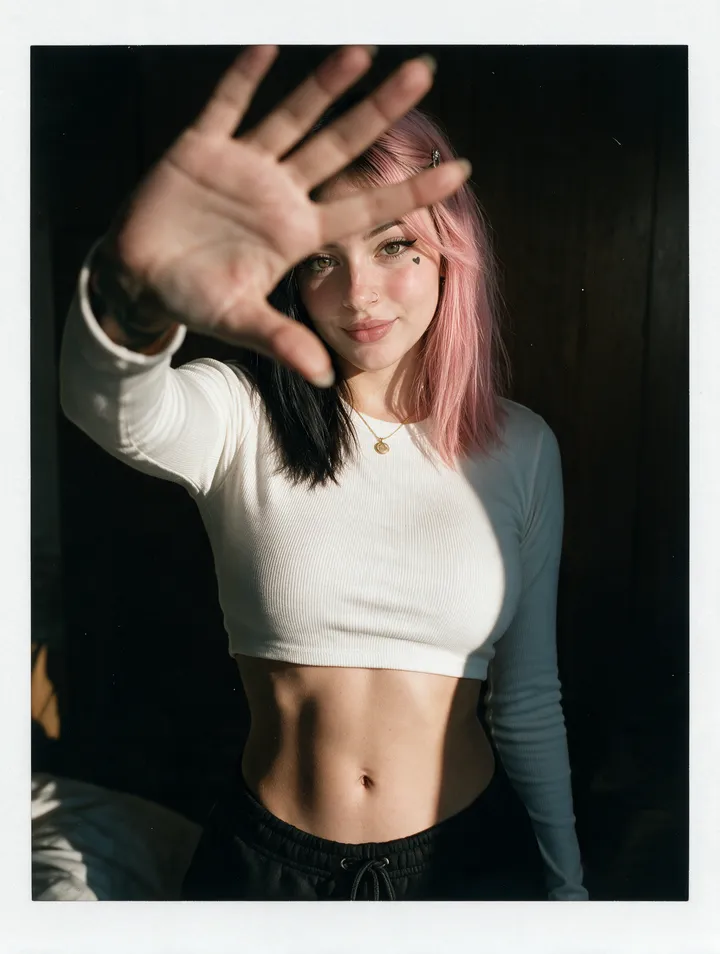
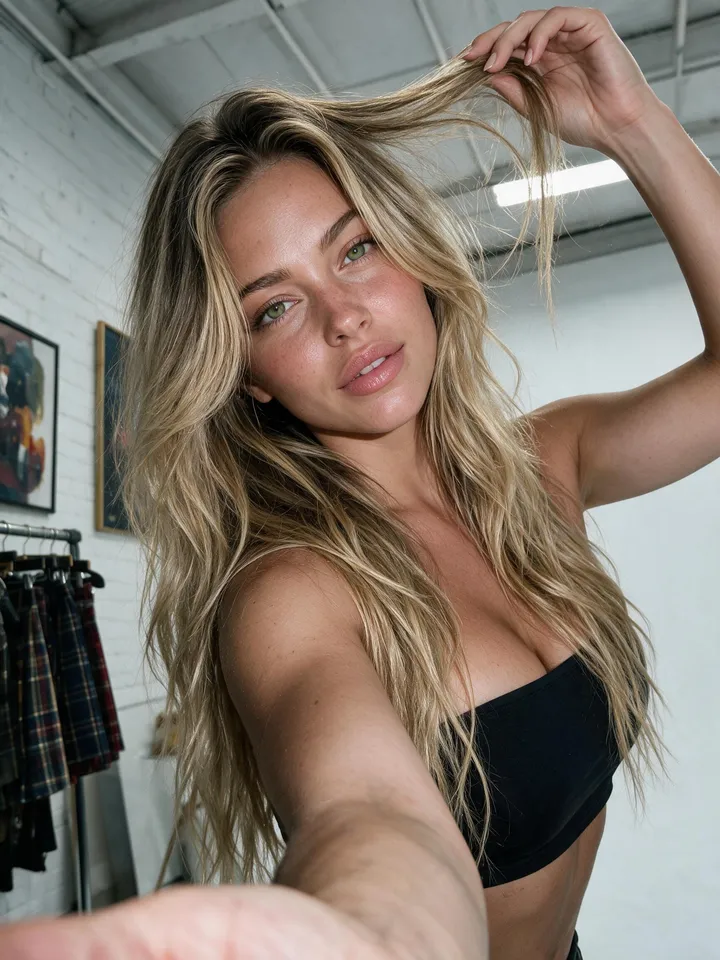
Why do AI photos look fake?
Because of a short list of repeat offenders. Cloudinary's guide to making AI images look real (read October 2026) names twelve, starting with plastic skin, over-smooth faces, strange hands and over-perfect symmetry.
Upsampler's article on making AI images look less AI (20 March 2026) adds the cause: training data that was already retouched, so smooth is what the model learned as normal. Each tell has its own fix.
What makes an AI photo look real?
Five things at once: a believable subject, light that behaves like light, physical consistency, real texture, one clear photographic style. Physical consistency is the part most skip — shadows from one source, the subject touching what it rests on.
How do I prompt for realistic skin texture?
Name the imperfection and bar the retouching. Ask for visible pores and fine lines, slightly uneven tone, a natural expression rather than a held smile, hair that is not perfectly placed, no beauty retouching. Then say what you do not want: smooth, flawless, airbrushed, poreless, glowing.
Order matters. Cloudinary's realism formula (read October 2026) runs subject, setting, light, camera, materials, natural imperfections, then constraints — and that guide is explicit that piling on intensifiers like ultra and hyper-detailed is itself a cause of the plastic look.
Weak: "beautiful woman, photorealistic, ultra detailed, 8K, perfect skin".
Strong: "woman in her early thirties at a kitchen table by a window, soft overcast morning light, 50 mm lens at f/2, cotton shirt and matte skin, visible pores and fine lines, slightly uneven tone, a few stray hairs, natural expression — no beauty retouching, no airbrushing, no perfect symmetry".
The second one is longer, but nothing in it is decoration: every clause is one slot of the formula, and the three clauses after the dash are what keep the model from smoothing the face back out.
How do I get realistic hands in AI photos?
Give them a job. Hands fail when they are idle, open and facing the camera: that pose has the most degrees of freedom and the most ways to be wrong. A hand holding a cup, pushing hair back, in a pocket or partly out of frame has far fewer — so specify which, with five fingers, natural joints and a relaxed grip.
Weak: "woman holding a coffee cup, beautiful hands, highly detailed".
Strong: "woman seated at a cafe table, both hands wrapped around a ceramic cup, warm side light from the left, 35 mm lens, glazed ceramic and a knitted sleeve, knuckles and tendons visible, one thumb overlapping the rim — five fingers per hand, no extra fingers, no fused joints".
Both guides reach the same second step: generate a few variations and fix the offending area rather than solving hands in one perfect prompt. A reroll loses the pose, light and expression you liked; an edit keeps them, and on OFMAI an image edit is 2 credits. Last resort, and a legitimate one: crop at the wrist.
What lighting and camera details make a photo believable?
One source, named. Soft morning light, window light, overcast daylight, side light and diffused light read as photographs; perfect lighting, magical, glowing and ultra dramatic read as renders. Cloudinary's guide (read October 2026) lists both sets and recommends choosing one.
Camera cues work the same way, and one is enough: a 35 mm or 50 mm lens, shallow depth of field, a candid framing. Then check the light is really in the picture — one bright side, a soft fall-off.
Last, add a deliberate flaw or two. That guide lists eleven, among them fabric creases, dust, fingerprints, uneven shadows, colour variation, motion blur and lens grain. Pick two or three — all eleven reads as a filter.
What is the workflow after the image is generated?
Four steps, and most people stop after the first: generate, inspect at full zoom, fix the single worst defect, then look again at the size the image will be seen.
Fix by editing, not by prompting again. Upsampler's four-step pipeline (March 2026) does exactly that — correct the area, then add detail — at five to ten minutes per image. On OFMAI that step is the 2-credit image edit; failed generations are refunded automatically.
Why does a consistent character matter for realism?
Because the strongest tell is not inside any single photo. Nobody audits a stranger's pores, but everybody notices when the woman in Tuesday's photo is not quite the woman in Friday's.
That is what OFMAI is built around: one character built once — from 3 of your own reference photos (portrait, front and back) with no training, or from a text description — and reused in every generation, so the same look, body and morphology hold across photos and into video.
Which tool should I use for realistic AI photos?
Prompt-to-image generators — best for one striking image, weakest across a set. General prompt-to-image tools produce a new person on each prompt; products like Midjourney and Leonardo now offer a character reference (their product documentation, read October 2026) you re-attach to every prompt, work you carry shot after shot.
Local open-weight setups — most control, highest overhead. On your own machine with ComfyUI or Forge you can tune every stage, at the price of a GPU, node graphs and your own time.
Retouching tools — fix what exists, add nothing new. Upsampler's comparison (March 2026): Photoshop can fix anything but manual work on pores and hand anatomy takes skill, while Lightroom cannot add missing detail or correct anatomy.
OFMAI — one persistent character, hosted. Photos from 2 credits, edits at 2 credits, video from 7 credits (a 5-second 1080p clip is 25), no GPU. Wrong choice for a one-off hero image, for stock or design work, or if you want the stack locally.
How much does it cost to iterate until a photo looks real?
Less than rerolling suggests, because the iteration is edits: a photo is 2 credits, an edit 2 credits.
The Starter plan is $9.99 a month for 30 credits — 15 photos, about $0.67 each. Credits you top up never expire.
The pre-publish realism checklist
- Hands: five fingers, plausible joints, a clear grip on what they hold
- Eyes: both on the same point, matching catchlights
- Teeth, ears and hair edges: where smoothing shows first
- Skin: pores and fine lines, uneven tone, no airbrushed sheen
- Shadows: one light source, every shadow agreeing with it
- Contact: the subject touching the surface it sits on
- Jewellery and glasses: frames and chains that continue
- Background: geometry that resolves, patterns that do not repeat
- Text: no almost-readable signage or logos in frame
- The set: the same person across every image, not a near-match
OFMAI in numbers
- creators signed up
- 10,000+
- photos and videos generated
- 60,000+
- videos generated
- 8,700+
Frequently asked questions
How do I make AI photos look less AI, with realistic skin texture and hands?
Prompt for imperfections instead of against them — visible pores, fine lines, uneven skin tone, no beauty retouching — name one light source and one lens instead of stacking intensifiers, and give the hands a specific task rather than leaving them open to camera. Then inspect at full zoom and edit the one part that is wrong: on OFMAI an image edit is 2 credits and keeps the pose and light you liked.
Why does AI skin always look plastic?
Because the training data was retouched before the model saw it, so smooth is what it learned as normal — the explanation Upsampler's March 2026 article gives, and Cloudinary's guide (read October 2026) lists plastic skin first among twelve AI tells.
What should I put in a negative prompt for realism?
The beauty-retouching vocabulary: smooth skin, flawless, airbrushed, poreless, glowing, perfect symmetry, perfect lighting. Keep it short; a long negative list flattens the image.
Is it better to fix a bad hand or generate the photo again?
Fix it. Regenerating loses the pose and light that were already right, while an edit keeps the frame. On OFMAI that edit is 2 credits against 2 credits for a new photo — and cropping at the wrist is a respectable option.
Does upscaling make an AI photo look more real?
It helps with micro-detail and does nothing for anatomy or lighting: a sharper image with six fingers still has six fingers.
Does the generator matter more than the prompt?
The prompt, the inspection pass and the edit are where most of the gap closes — what both guides above describe. Where tools differ is after image one: whether you can keep the same subject and fix one detail without starting over.
What is the fastest tell that a whole set of photos is AI?
The person drifting. Viewers rarely audit one image closely, but they notice across a feed when the look, body or proportions shift between posts. OFMAI reuses one character in every generation, so the set holds together.
Related: AI model generator · AI character generator · Build an AI clone of yourself · OFMAI pricing
OFMAI generates synthetic imagery. Uploading photos or cloning the voice of a real person requires that person's explicit consent, enforced by automated and human moderation. Disclose AI-generated content wherever the platform you publish on or applicable law requires it.