
Can You Generate AI Photos of Your Character in Winter Clothing and Keep Her Proportions Right?
By Marcus, AI generation expert at OFMAI · Updated
Yes, and the proportions are the easier half once you stop describing the body in words. A coat is just a garment prompt; the body underneath has to be stored, because the moment a puffer, a wool coat or an oversized knit covers the torso, the generator loses every cue it was using to infer the figure and quietly invents a new one. On OFMAI the figure is not inferred at all: you build one character once, from 3 of your own reference photos or from a description, with no training step, and every later photo runs against that stored character, so the same look, body and morphology carry through whatever she is wearing.
What still needs work is the garment: volume, seam logic, knit texture and the way a hem cuts the leg. Those are prompt and review problems, and the fix for a single bad detail is a targeted edit at 2 credits rather than a reroll that moves everything else. Below: why layers break proportions, the five routes compared, what a winter set costs, which pieces fail first, and how to check that the figure actually held.
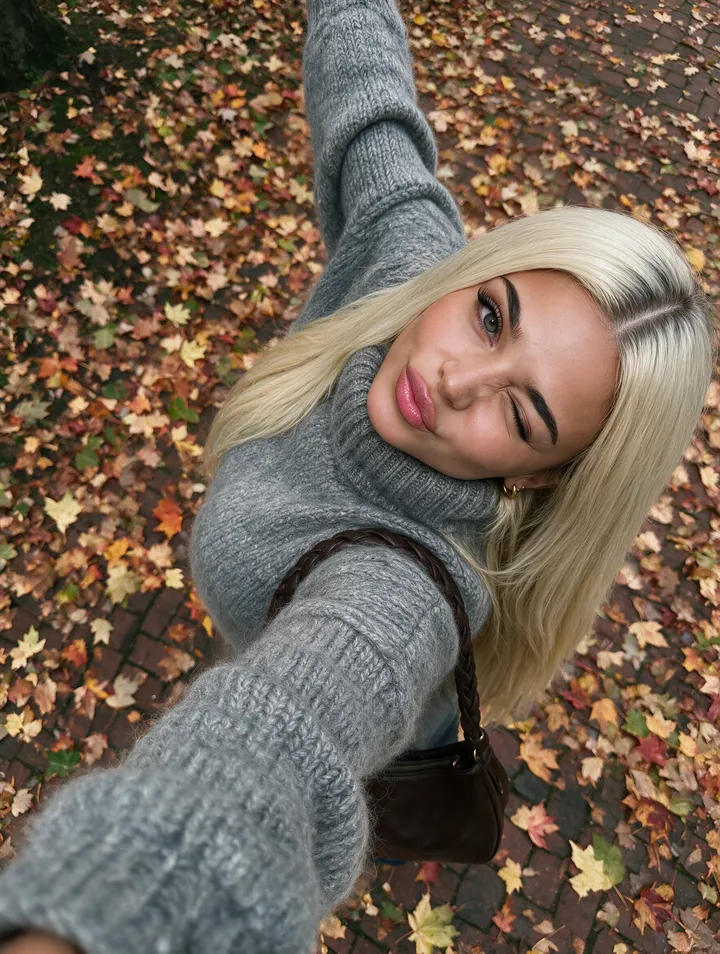
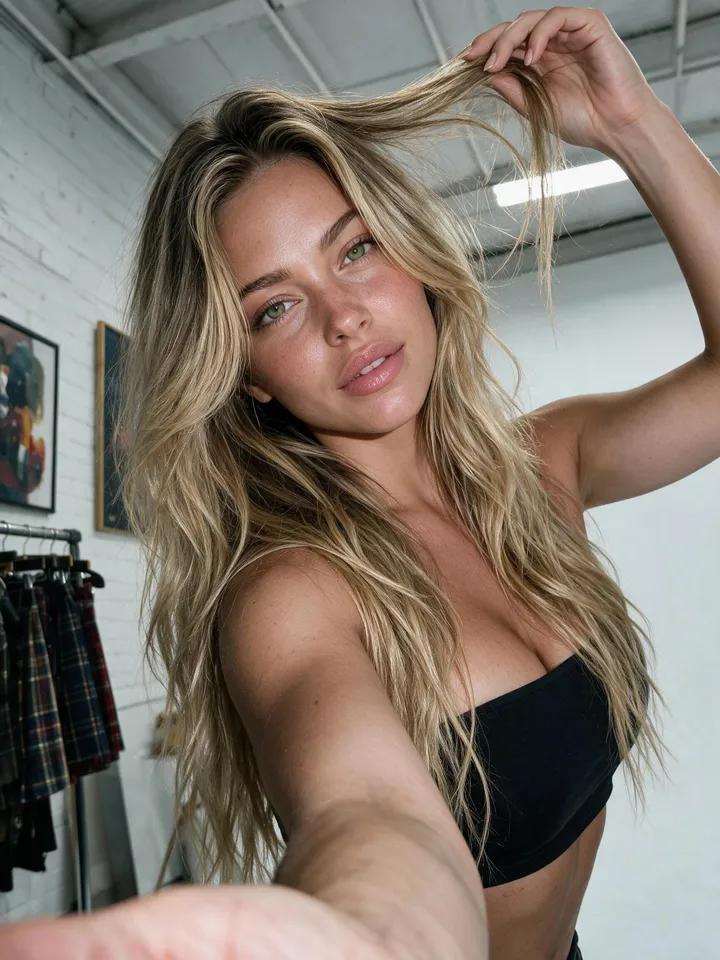
Can I generate AI photos of my character in winter clothing and keep her proportions right?
Yes — on OFMAI the proportions hold because the identity is stored once instead of being re-described in every prompt: you build one character from 3 of your own reference photos or from a text description, with no training step, and every later photo runs against that stored character, so the same look, body and morphology carry under the coat. The method around it is the same wherever you generate: keep a full-body reference in a fitted base layer so there is a known silhouette underneath, write the outerwear as a garment and never as a body shape, shoot three-quarter and full-length frames rather than head-on only, and check each frame against the reference before you accept it.
The OFMAI side of that is 12 credits end to end — 6 for the batch of candidates and 6 to confirm your choice and generate the reference angles. After that a photo is 2 credits and you only ever write the outfit, the light and the location.
Why does bulky winter clothing move a character's proportions?
Because a generator reads a body from its outline, and winter clothing removes the outline. With a t-shirt the shoulders, waist and hip line are visible, so the figure is constrained. Under a padded jacket almost nothing is, and whatever the model considers an average body fills the gap: shoulders widen, the waist disappears, the head-to-body ratio shifts, and a long hem shortens the legs.
The garment itself drifts for a separate reason. Style3D's guide to pattern distortion in AI renders, published in June 2026, describes it as a mapping problem: the model treats a 2D pattern as surface noise rather than fabric wrapping a 3D body, so it never connects to real seam geometry, and it flattens 3D volume until knit ribbing looks painted on. It cites BoF Insights for the figure that 93% of AI-generated fashion images show detectable distortions in complex details as of Q1 2026, and notes the drift lands hardest on collars, sleeves and hems — exactly the parts a winter outfit is made of.
What are the five routes, and which one holds the figure under a coat?
Stored character. The identity is saved once as a reusable subject and called on every generation: no training run, nothing to re-attach, the same body each time. This is OFMAI's route, and it is the only one of the five where the morphology is not re-derived from the frame, which is why layers do not disturb it.
Trained adapter. A LoRA or DreamBooth run on an open-weight Stable Diffusion checkpoint, driven through ComfyUI or Forge. Highest ceiling for an unusual figure, and the weights are yours. The cost is setup and upkeep: a local Stable Diffusion install, node graphs, a GPU and your own curated image set per character.
Reference-image conditioning. You attach an approved identity image to each generation in a general-purpose tool such as Midjourney or Leonardo. Strong within a session, but nothing persists, and a reference shot in a t-shirt gives the model little to hold once the coat goes on.
Garment inpainting. Keep a frame you already approved and repaint only the clothing. This is the most reliable way to change one outfit without touching the figure, and the settings are the whole trick: RunDiffusion's image-to-image documentation, published in December 2025 and updated in June 2026, puts a denoising strength of roughly 0.2 to 0.35 where identity and layout stay intact, 0.45 to 0.65 where the composition is still recognisable but the look changes, and 0.7 or above where the image may drift far from the source. It also says to mask only the area you mean to replace, so the rest of the frame is preserved — repaint the whole body and the body is what changes.
Pose and depth control. A control layer copies the skeleton, and a depth pass copies volume, so the stance and rough proportions survive the outfit change. The Neural Base's ControlNet fashion and virtual try-on lesson, dated April 2026 and verified against its toolchain that month, puts the pose conditioning scale at 0.85 to 0.95 for try-on work, uses 0.90 in its own example, and reports visible pose drift below 0.7; it also warns that a mis-detected skeleton with joints offset by 20 pixels or more will misalign the garment on the body.
The honest ranking of those five for this question: a stored character first, because it is the only route where the body is not re-derived from the frame; garment inpainting second, when you have a frame whose light and pose you refuse to lose; a pose and depth control layer third, when the stance matters as much as the figure; a trained adapter fourth, if owning the weights is worth the upkeep; and reference-image conditioning last, because nothing persists between sessions and a reference shot in a fitted top tells the model very little once the coat goes on.
How do you shoot a winter set on OFMAI, and what does it cost?
You create the character once — from 3 of your own reference photos (a portrait, a front view and a back view) or from a written description, with no training — then generate against it. A photo is 2 credits, an image edit 2, and video starts at 7 credits, with a 5-second 1080p clip at 25 and the cost rising with resolution and length. One character is reused across photos, video and voice notes, so a winter clip is the same person as the winter stills.
Price the season before you shoot it. A 40-photo winter drop is 80 credits, plus 12 if the character does not exist yet, so 92 in all; ten edits on crooked hems and seams take it to 112. Pro gives 100 credits for $24.99 a month, or 50 photos; Business 300 for $49.99; Agency 1000 for $149.99. On Starter, $9.99 for 30 credits, a photo works out at about $0.67. Subscription credits renew each month, purchased credits never expire, failed generations are refunded automatically, and it all runs in the browser with no GPU and nothing to install.
Which winter garments break first, and what do you do about them?
Padded outerwear is the worst case: the baffles are a repeating seam pattern over a volume, which is precisely what Style3D's June 2026 guide says the model renders as surface decoration instead of construction. Expect quilting lines that wander and a silhouette that reads wider than the figure. Shoot it open over a fitted layer when you can, so part of the real outline stays visible in the frame.
Heavy knitwear loses its relief — ribbing and cable come out airbrushed. Style3D's fix travels well: ask for visible topstitching and a contact shadow, drop ornamental prompt words like cinematic or 8K, and light the garment from the side so the weave casts something. A scarf or a high collar is the sneaky one, because it crops the jawline and the hairline and makes a frame hard to compare against your reference; keep at least one unobstructed frame per look.
Gloves and boots are a hands-and-legs problem rather than a fabric one. Gloved hands hide finger structure, so give the hands a task — a cup, a pocket, a bag strap — rather than leaving them loose. Tall boots and long hems move the apparent leg length, which is the proportion a viewer notices first, so judge them in a full-length frame and not a crop. For any single wrong detail, an image edit at 2 credits changes it inside a frame you already approved, which is cheaper and safer than rerolling a shot whose light and pose were right.
How do you check that the proportions actually held?
Against a reference, not against a feeling — and on OFMAI the reference is the stored character itself, the same one every photo was generated from, so there is always a fixed version of the body to judge a coated frame against. Style3D's June 2026 guide gives the mechanical version of the check: overlay the output on your source at 100% zoom and compare the silhouette. The practical version for a person is a four-point check on every frame — shoulder width against the reference, waist position, head-to-body ratio, limb length relative to the torso — and a rule that two failures mean regenerate rather than edit.
Three habits make the check possible. Keep a full-body reference of the character in a fitted base layer, so there is a known outline to compare a coat against; shoot each look as a set of a full-length frame, a three-quarter and a detail, because a head-on waist-up shot simply does not show whether the figure survived; and review in grids of ten rather than one image at a time, where drift is invisible. Lovart's consistency guide, dated April 2026, puts the same idea bluntly: consistency is a checklist, not a vibe, and its model-sheet minimum includes silhouette notes and a forbidden-drift list alongside the front and side references.
What should the winter prompt say, and what should it leave out?
Describe the garment, never the body. Apatero's wardrobe consistency guide, dated January 2026, gives a description order worth copying verbatim: fabric, colour, style, garment type, then fit details — its own example reads soft cream cashmere oversized turtleneck sweater, relaxed fit, slightly cropped. Nothing in that sentence describes a person, which is the point: on OFMAI the person is the stored character and the prompt is the wardrobe.
The same guide sets the seasonal rule — keep the core pieces consistent and adapt the seasonal elements — and sizes outerwear at 2 to 3 pieces: one everyday jacket, one statement or seasonal piece, one for a special occasion. Its autumn and winter palette is heavier fabric (wool, cashmere, leather), deeper colours, layering pieces and closed shoes, with the signature silhouette appearing in 70 to 80% of content. Leave out words that buy nothing: adjectives about the body, repeated instructions to keep the same person, and render-quality filler. Change one variable per shot, and finish one garment before starting the next.
If you are generating locally rather than from a stored character, the negative prompt is where the figure gets defended: name what must not move — body type, height, head-to-body ratio, shoulder width, waist position — and keep that list word for word across the whole set, the way Lovart's April 2026 guide keeps a forbidden-drift list on its model sheet. A locked prompt template is worth having for the same reason, and it is still the weakest tool here on its own: fixed wording holds framing, palette and light, but text names a body type, never a particular body.
When is OFMAI the wrong tool for a winter shoot?
When the garment, not the person, is the product. For a real coat you actually sell, in several colourways and sizes, Style3D's June 2026 guide is right that the main images and the detail shots should be photographed and the AI output reserved for supplementary lifestyle frames; it also scores detail complexity from 1 to 5 and says a 3 or more in several categories calls for human-photographed references. A branded logo or a label that has to be pixel-exact needs a retouch pass whatever generated it.
It is also the wrong tool if you want the weights on your own hardware and full offline control — that is a local ComfyUI or Forge setup with a trained adapter — or if you want a distinctive illustrated winter aesthetic with nobody recurring, where a general-purpose generator such as Midjourney or Leonardo is simply better suited. OFMAI is not a scheduler or a publishing hub either: you generate and export, then post where you already publish, and each platform sets its own rules on AI-generated content, so check them before the season goes live.
At a glance: winter clothing and proportions
- The person is solvable: a stored character keeps the same look, body and morphology across every outfit and location. 12 credits once, then 2 a photo.
- Layers are the whole problem: a coat removes the outline the generator was using to infer the figure, so keep a fitted-base-layer reference and shoot full-length frames.
- The garment drifts for its own reasons: per Style3D's June 2026 guide, patterns are rendered as surface noise rather than fabric on a body, and BoF Insights put detectable distortion in complex details at 93% of AI fashion images in Q1 2026.
- Worst pieces first: padded outerwear, heavy knit relief, scarves and high collars that crop the jaw, gloves, and long hems or tall boots that move apparent leg length.
- One wrong detail is an edit, not a reroll: 2 credits inside a frame whose light and pose you already approved.
- Prompt order that works, per Apatero's January 2026 guide: fabric, colour, style, garment type, fit — and 2 to 3 outerwear pieces for the season.
- A 40-photo winter drop: 80 credits, or 92 with the character, inside Business at 300 credits for $49.99 a month.
OFMAI in numbers
- creators signed up
- 13,000+
- photos and videos generated
- 72,000+
- videos generated
- 11,000+
Frequently asked questions
Can I generate AI photos of my character in winter clothing and keep her proportions right?
Yes. The proportions hold if the identity is stored instead of described in words: on OFMAI you build one character for 12 credits — from 3 of your own reference photos or from a description, with no training — and every photo after that runs against it, so the same body and morphology carry under a coat. Photos are 2 credits. What still needs attention is the garment itself: quilting, knit relief and hems drift, and a single wrong detail is fixed with an image edit for 2 credits.
Why do her proportions change when she puts on a coat but not in a t-shirt?
Because a fitted top leaves the shoulder, waist and hip line visible and a padded coat does not. With no outline to work from, the generator fills in an average body, which shows up as wider shoulders, a lost waist, a shifted head-to-body ratio and shorter-looking legs under a long hem. A stored character removes the guesswork; a fitted-base-layer reference gives you something to compare against.
Do I need to train a model or a LoRA for a winter wardrobe?
No. Training affects the person, not the clothes, and on OFMAI there is no training step at all — the character is built from 3 reference photos or from a description and reused in every generation. A trained adapter on an open-weight Stable Diffusion checkpoint is still a legitimate route if you want to own the weights and run the stack yourself through ComfyUI or Forge, with your own curated image set per character.
Can I just change the outfit on a photo I already like?
Yes, and that is often the safest move. Mask the garment only and keep the denoising strength low: RunDiffusion's image-to-image documentation, updated in June 2026, puts 0.2 to 0.35 where identity and layout stay intact, 0.45 to 0.65 for a visible restyle, and 0.7 or above where the image may drift far from the source. On OFMAI the equivalent for a single detail is an image edit at 2 credits, which changes one thing inside a frame whose light and pose you already approved.
How many winter outfits should I plan before I start?
Apatero's wardrobe consistency guide, dated January 2026, suggests 2 to 3 outerwear pieces — one everyday jacket, one statement or seasonal piece, one for a special occasion — on top of core pieces that stay the same all year, with the signature silhouette appearing in 70 to 80% of content. Write each piece as fabric, colour, style, garment type, fit, and keep the wording rather than the image.
Does the winter look carry into video?
Yes, if you animate a still you already approved instead of describing the outfit again — the coat is already in the frame you signed off, and one character is reused across photos, video and voice notes. Video starts at 7 credits, and a 5-second 1080p clip is 25; the cost rises with resolution and length.
What does a full winter set cost on OFMAI?
A 40-photo drop is 80 credits, or 92 including the character, and 112 with ten edits. That fits inside Business, 300 credits for $49.99 a month; Pro is 100 credits for $24.99 and Agency 1000 for $149.99. Purchased credits never expire and failed generations are refunded automatically.
Will a real branded coat come out accurately?
Not dependably, and that is a different problem from the figure. Style3D's June 2026 guide recommends photographing the main and detail images for a garment you actually sell, keeping AI output for supplementary lifestyle frames, and it scores detail complexity from 1 to 5 with a 3 or more in several categories calling for human-photographed references. Plan a retouch pass for anything a brand pays for.
Related: Keep an AI model's body consistent · AI influencer in branded clothing · Fix an AI character that drifts · AI character generator · Batch a month of AI content · OFMAI pricing
OFMAI generates synthetic imagery. Uploading photos or cloning the voice of a real person requires that person's explicit consent, enforced by automated and human moderation. Disclose AI-generated content wherever the platform you publish on or applicable law requires it.