
Give your character a voice
By the OFMAI Team · Updated October 2026
A voice is the one addition that changes what your character can do rather than how it looks. Photos are silent by definition; a voice turns the same character into something that can send an audio message, narrate, or speak over video. It is also the step people most often add at the wrong moment and at the wrong price.
This lesson covers the mechanics: exactly when the Voice step appears, the three methods on offer, what each costs, and the specific condition under which your first voice costs nothing. If you want the broader argument for whether an AI influencer should have a voice at all, the blog covers that ground — this lesson is about the screen and the buttons.
When the Voice step appears — and when it does not
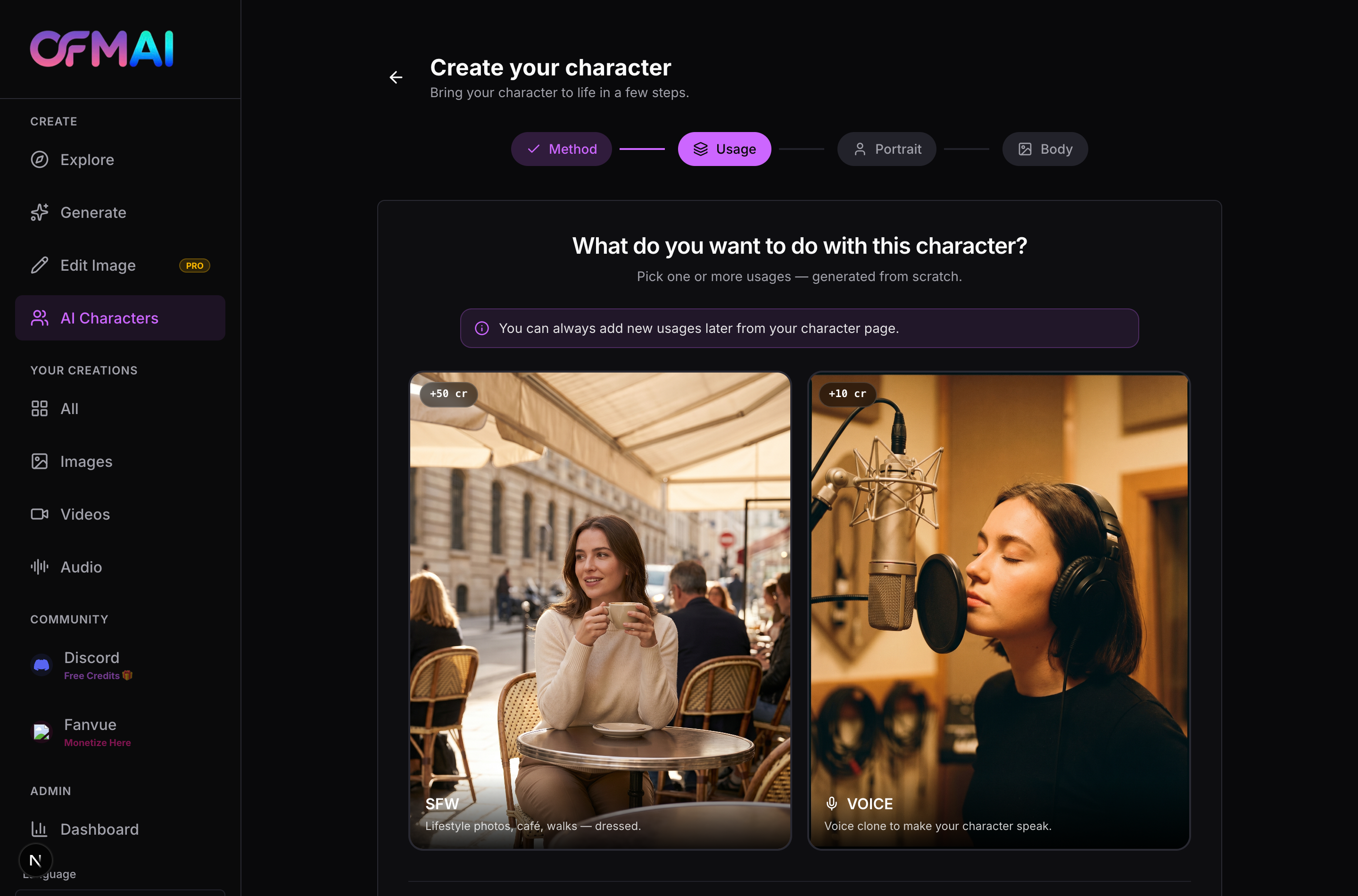
The Voice step is conditional and its trigger is precise: it appears only if you ticked the VOICE card on the Usage step, near the start of the builder. Nothing later in the funnel adds it. If you did not tick VOICE, the builder ends when your character is created and returns you to your characters list without ever showing the voice screen.
Where it appears is equally specific. Voice always runs last, after the character exists. On the from-scratch route it follows the final confirm on the Body step; on the upload route it follows Start training. This ordering matters more than it seems: by the time you reach the voice screen, the character has already been created and charged for. Skipping the voice does not undo anything and does not cost anything — the character is complete either way.
That makes the VOICE tick at the Usage step a decision you can safely defer. The note on that screen tells you new usages can be added later from your character page, and voice is one of them. Adding it later is not more expensive than adding it now. If you are undecided, leave it unticked and shorten your first build.
The three methods, and what each one is for
The Voice step is headed "Add Voice" with your character's name beneath it, and offers three cards. They are not tiers of the same thing — they are three genuinely different ways of obtaining a voice, and the right choice depends on what you already have.
"Clone a Voice" costs 10 credits and works from audio samples you upload or record. You are giving it a real voice to reproduce. This is the most expensive of the three and the only one where the result is bounded by the quality of what you feed it: clean recordings in a quiet room produce a clean clone, phone audio with room echo produces a clone that sounds like phone audio with room echo. The consent rule applies here exactly as it does to photographs — clone a voice you own or have documented permission to use, and nothing else.
"Voice Catalogue" costs 5 credits and lets you browse a large library of ready-made voices and attach one to your character. It is the cheapest option and the fastest, because there is nothing to produce — you are auditioning and selecting. The tradeoff is that the voice is not exclusive to you.
"Create a Voice" costs 8 credits and works from a text description. You describe the voice you want — age, texture, accent, pace — and it is generated for you, with previews to choose from before you commit. This is the option that matches the from-scratch philosophy of the rest of the builder: nothing to record, nothing to inherit, and a voice that belongs to your character alone. If you built the character from scratch, this is usually the coherent choice.
The condition that makes your first voice free
On the Voice step, the price tag on all three cards is sometimes replaced by a free badge. This is not a promotion that appears at random — it fires on a specific pair of conditions, both of which must be true.
First, you must be on a paid subscription. Second, none of your existing characters may already have a voice. It is a first-voice-on-the-account waiver, not a first-voice-per-character one. The moment any character in your account has a voice attached, the waiver is spent and every subsequent voice is billed at 5, 8 or 10 credits.
The practical consequence is worth pausing on. If you are a subscriber and you are going to have several characters, the free voice should go to the character you actually intend to have speak — and it should go to the most expensive method, since a free clone saves you 10 credits and a free catalogue pick saves you 5. Spending your one waiver on a 5-credit catalogue voice for a character you are still experimenting with is a small but entirely avoidable waste.
One voice per character, and what that implies
A character holds one voice. There is no roster to switch between, no second voice for a different mood. This is a deliberate constraint and it follows the same logic as the single trained character: consistency is the product. An audience that hears two different voices from the same character stops believing in the character, exactly as they would if the face changed between posts.
So the decision is worth making once, properly. Audition before you commit — the catalogue lets you listen before selecting, and the create-a-voice flow generates previews for you to compare. Neither asks you to buy blind.
It also means the voice should be chosen against the character you built, not in isolation. A character whose entire visual identity reads as mid-twenties and casual is undermined by a voice that reads as forty and formal. The mismatch is subtle in a single clip and obvious across a week of content, which is precisely the timescale on which audiences form or lose their impression of a persona.
Skipping, and adding a voice later
Two buttons sit at the bottom of the Voice step. "Skip voice setup" exits without a voice. "Done" exits having set one up. Both finish the builder and both leave you with a complete, fully usable character — the voice is genuinely optional and nothing downstream breaks without it.
Skipping is the right call more often than people assume. If your first month is going to be still photography while you find out whether the character resonates at all, a voice is 5 to 10 credits spent on a capability you will not touch. Add it when you have a reason to — a video that needs narration, an audio message you want to send — and not before.
Adding it later is done from the character's own page rather than by re-running the builder. The Usage step's note states plainly that usages can be added after the fact, and this is the mechanism. The one thing you should not do is skip the voice because you are unsure which of the three methods to pick, and then never come back. Undecided is an argument for the catalogue at 5 credits, which is cheap enough to treat as an experiment.
The voice step at a glance
- Appears only if you ticked VOICE on the Usage step — nothing else triggers it
- Always runs last, after the character has been created and charged for
- Clone a Voice — 10 credits, from audio samples you supply
- Voice Catalogue — 5 credits, pick from a large ready-made library
- Create a Voice — 8 credits, generated from a written description, with previews
- Free on all three methods if you subscribe and no character on your account has a voice yet
- One voice per character, permanently — audition before committing
- Skipping costs nothing and the character remains fully usable
Frequently asked questions
- Which of the three voice methods should I choose?
- Match the method to what you already have. If you possess clean audio of a voice you own or have permission to use, cloning at 10 credits reproduces it, and the result will be as good or as poor as the recording you feed it — quiet room, no echo, no background music. If you have nothing and want to move fast, the catalogue at 5 credits lets you audition a large library and attach a voice immediately, with the caveat that it is not exclusive to you. If you built your character from scratch, the create-a-voice option at 8 credits is usually the coherent match: you describe the voice in words the same way you described the face in traits, compare the previews, and end up with something that belongs to this character alone. When your first voice is free, take the most expensive method you would plausibly want, since the waiver only fires once.
- When exactly is the first voice free?
- Two conditions must both hold. You must be on an active paid subscription, and no character on your account may already have a voice attached. When both are true, all three cards on the Voice step show a free badge instead of a credit price, and whichever method you choose costs nothing. It is a per-account waiver, not a per-character one — the instant any of your characters gains a voice, the waiver is consumed and every later voice is billed normally at 5, 8 or 10 credits. Because of that, it is worth being deliberate about where you spend it. A free clone saves 10 credits; a free catalogue pick saves 5. If you plan to run several characters, put the waiver on the one you actually intend to have speak, and use it on the method with the highest list price.
- Can I give one character more than one voice?
- No — a character holds exactly one voice, and this is deliberate rather than a limitation waiting to be lifted. The same reasoning that keeps a character's look fixed applies to its voice: consistency is what makes a persona believable, and an audience that hears two different voices attributed to the same character stops treating it as a person. In practice this means auditioning properly before you commit. Both the catalogue and the create-a-voice flow let you listen before you finalise, so there is no need to choose blind. Judge the voice against the character you actually built rather than in isolation — a voice that reads a decade older or several registers more formal than the visual identity creates a mismatch that is invisible in one clip and unmistakable across a fortnight of posts.
- Should I add a voice during the first build or later?
- Later, unless you already know what you will do with it. Voice always runs at the very end of the builder, after the character has been created and paid for, so skipping it costs nothing and leaves you with a complete character. Adding it later from the character's page is not more expensive than adding it now — the note on the Usage step states plainly that usages can be added afterwards. The argument for deferring is simple: your first weeks are usually still photography while you find out whether the character resonates at all, and a voice you never use is 5 to 10 credits spent on an idle capability. Add it the moment you have a concrete use — a video that needs narration, a message you want to send in the character's own voice — and not on the assumption that you eventually will.
Related reading
Add a voice when you have a use for it
Five credits for a catalogue pick, eight to generate one from a description, ten to clone from audio you own — and free on your first, if you subscribe. Open your character's page and add it whenever you are ready.
Start free